

Onikuma G32 Wired Gaming Keyboard
৳ 1,050
৳1,250
৳ 200 OFF
Showing: (35 Items)
Filters
Price Range
SwitchType
Brands
Showing: (35 Items)
Onikuma G32 Wired Gaming Keyboard
৳ 200 OFF

MEETION Hestia MK005 Mechanical Gaming Keyboard

Logitech G512 LIGHTSYNC RGB Mechanical Gaming Keyboard

Razer Huntsman Mini RGB Gaming Keyboard
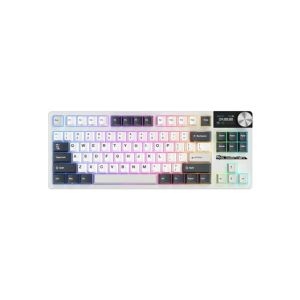
Royal Kludge RK S85 Tri Mode RGB Mechanical Gaming Keyboard
৳ 351 OFF

T-Wolf T50 Wired RGB Mechanical Gaming Keyboard
৳ 300 OFF

T-Wolf T70 Tri Mode RGB Mechanical Gaming Keyboard
৳ 301 OFF

PC Power Punk K110 RGB Gaming Mechanical Keyboard
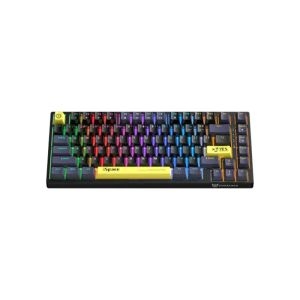
Onikuma G52 RGB Gaming Mechanical Keyboard
৳ 351 OFF

Razer BlackWidow V3 Tenkeyless Mechanical Gaming Keyboard
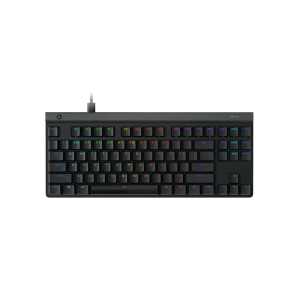
Logitech G515 Lightspeed TKL Wireless Gaming Keyboard

Logitech G213 Prodigy RGB Gaming Keyboard
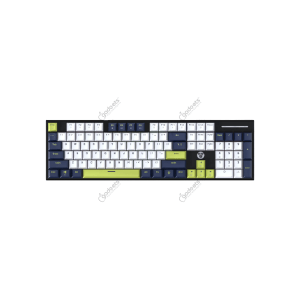
Fantech MK878S ATOM104S Mechanical Gaming Keyboard

Fantech Shikari K515 MEMBRANE Gaming Keyboard
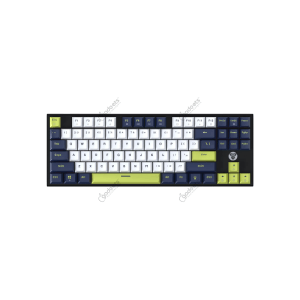
Fantech MK877S ATOM87S Mechanical Gaming Keyboard
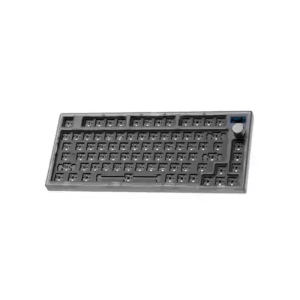
Fantech MAXFIT81 MK910 Gaming Keyboard Barebone Version
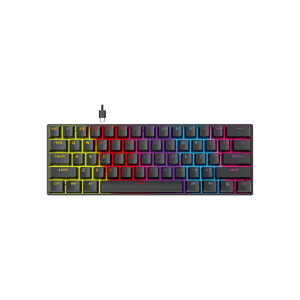
Fantech MK211 ATOM61 Mechanical Gaming Keyboard
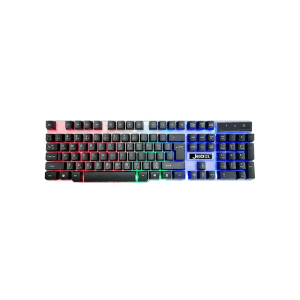
Jedel K500 RGB Gaming Keyboard
Gaming keyboards have moved past being just a gamer thing. Creators use them. Office folks use them. Even people who just enjoy fast typing pick one up now. A good keyboard changes how a setup feels, not just how a game plays.
Response time matters during fast games. Comfort matters during long work hours. Build quality matters when a keyboard gets used daily for years. Buyers in Bangladesh usually look for a mix of all three, along with a price that fits their budget.
If you're looking for the latest Gaming Keyboard price in Bangladesh, Apple Gadgets offers a wide collection of genuine gaming keyboards from trusted brands. From budget-friendly options for casual play to high-performance mechanical keyboards built for competitive gaming, you'll find reliable picks backed by authentic warranty and fair pricing.
Prices vary a lot depending on type and features. This table gives a quick idea before going into specifics.
|
Gaming Keyboard Type |
Price Range (BDT) |
Best For |
|
RGB Membrane Gaming Keyboard |
৳1,500 – ৳3,000 |
Casual gaming and everyday use |
|
Wired Mechanical Gaming Keyboard |
৳2,000 – ৳6,000 |
Entry-level and regular gamers |
|
Hot-Swappable Mechanical Keyboard |
৳3,000 – ৳7,000 |
Users who want switch customization |
|
TKL (Tenkeyless) Gaming Keyboard |
৳2,500 – ৳8,000 |
FPS gamers needing more desk space |
|
60% /embed/apple-gadgets/ 65% Compact Gaming Keyboard |
৳3,000 – ৳9,000 |
Minimalist and portable setups |
|
Tri-Mode Wireless Gaming Keyboard |
৳4,500 – ৳12,000 |
Flexible wired and wireless connectivity |
|
Premium RGB Mechanical Keyboard |
৳10,000 – ৳18,000+ |
Competitive gamers and enthusiasts |
|
Hall Effect /embed/apple-gadgets/ Magnetic Switch Keyboard |
৳12,000 – ৳20,000+ |
Esports and ultra-fast response gaming |
Note: Gaming Keyboard price in Bangladesh may change due to stock, promotions, and new launches. For latest models and offers, check the Gaming Keyboard collection at Apple Gadgets.
Switch type decides how a keyboard feels under your fingers. This part confuses many first-time buyers, so here's a simple breakdown.
Red Switch – Smooth press, no click. Good for fast, quiet gaming.
Blue Switch – Clicky and loud. Satisfying feel, not great for shared rooms.
Brown Switch – Middle ground. Small bump, quieter than Blue. Good for gaming and typing both.
Silent Switches – Made for quiet spaces. Less sound, same gaming feel.
Speed Switches – Shorter travel distance. Registers keys faster, great for shooters.
Hot-Swappable Switches – Lets you change switches without soldering. Handy for testing feels later.
A few features decide if a keyboard feels right for you long-term. Worth checking each before buying.
Choose membrane for quieter, budget-friendly use or mechanical for faster response and better durability. Mechanical switches like Red, Blue, Brown, and Optical offer different typing and gaming experiences based on your preference.
Pick a layout that suits your setup. Full-size includes a numpad, TKL offers more mouse space, while 75%, 65%, and 60% keyboards are compact and ideal for smaller desks.
RGB lighting adds style to your setup while improving key visibility in low light. Per-key RGB lets you customize individual keys and create personalized lighting profiles through software.
Wired keyboards deliver stable, low-latency performance for competitive gaming. Wireless models reduce cable clutter and offer Bluetooth or 2.4GHz connectivity, making them convenient for multi-device setups.
A durable keyboard lasts longer and feels more premium. Aluminum frames provide better strength, while PBT keycaps resist fading, shine, and wear better than standard ABS keycaps.
These features ensure every keypress registers correctly, even when pressing multiple keys simultaneously. They're essential for fast-paced games that require quick combos and accurate inputs.
Dedicated software allows you to remap keys, record macros, customize RGB effects, and save multiple profiles, making it easier to switch settings for different games or tasks.
A higher polling rate sends keypresses to your computer more frequently, reducing input delay. This can improve responsiveness in fast-paced and competitive gaming.
Hot-swappable keyboards let you replace switches without soldering, making it easy to customize the typing feel or replace worn switches whenever needed.
Features like adjustable feet, wrist rests, and comfortable key spacing help reduce hand fatigue, making long gaming sessions or extended typing more comfortable.
Most gaming keyboards work across several platforms, though some features stay limited by device.
|
User Type |
Recommended Keyboard |
|
Casual Gamer |
Membrane or budget mechanical keyboard |
|
Competitive Gamer |
Mechanical TKL with fast switches |
|
FPS Player |
TKL or 65% mechanical keyboard |
|
MMO/MOBA Player |
Full-size keyboard with programmable macros |
|
Content Creator |
Quiet mechanical keyboard with media controls |
|
Office & Gaming User |
Brown-switch mechanical keyboard |
|
Travel & Minimal Setup |
60% or 65% wireless keyboard |
Bangladesh sees a good mix of gaming keyboard brands, and each one has built its own reputation over time. Logitech usually comes up first for durability, since people use it for years without trouble. Razer leans into RGB design and software gamers enjoy playing with. Corsair appeals to buyers who care about premium build and customization. ASUS ROG works well for gamers who already trust the brand through laptops. HyperX offers solid switches without pushing prices too high, and Redragon along with A4Tech Bloody stay popular for keeping things affordable.
Fantech gives decent value for tighter budgets. Keychron has been gaining fans who like swapping switches themselves for a cleaner look. SteelSeries holds its ground among competitive gamers needing dependable build and software. Royal Kludge, or RK, suits anyone leaning toward wireless without giving up a compact feel. And, Ajazz has been gaining attention through affordable hot-swap models, Aula stays known for budget RGB, and MSI usually gets picked by gamers already running MSI gear at home.
Gaming keyboards give faster response, better switches, and extras like anti-ghosting and macros.
For gaming, yes. Mechanical keyboards respond faster and last longer under heavy use.
Tri-mode wireless models work well now, though wired still stays the top pick for pro play.
Yes, most mechanical keyboards support keycap swaps, especially standard-size ones.
Yes, though some RGB and macro tools may work a bit differently than on Windows.
Mechanical switches often last years, sometimes past tens of millions of keypresses.